 SLAPJAM
Blog / Sponsor spotlight
NPCs your players can actually talk to | Convai
Players talk, your characters answer. Convai gives your NPCs a voice, a memory and actions they can take in your game, live in the browser.
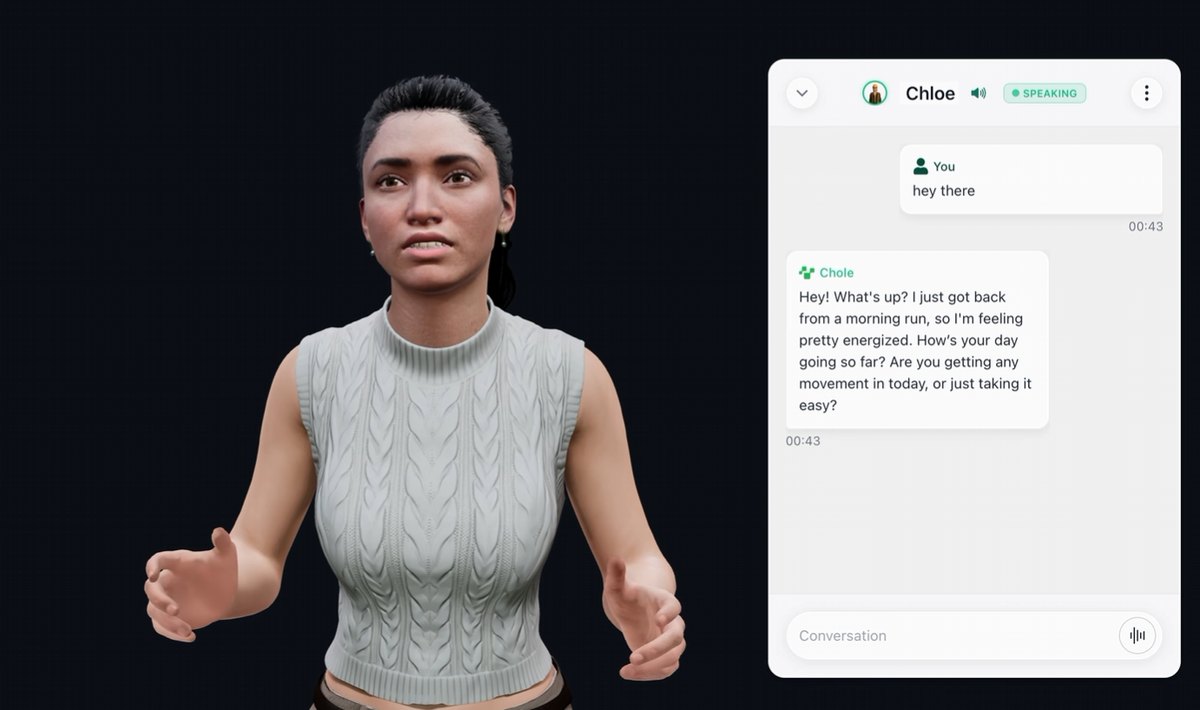
They talk back
Write a backstory, pick one of 500+ voices, add what the character knows, and it's ready. Players speak or type in any of 60+ languages, and Convai handles the listening, the reply, the voice and the lip sync.
They act, and they remember
Tell an NPC to follow you and it follows. You list the actions your game supports, like follow, move to, pick up or sit, and characters trigger them from the conversation. Send game state as it changes and they react to it. With long-term memory, the shopkeeper still knows the player next time.
In your web game in minutes
Grab an API key and a character ID from Convai, run npm install @convai/web-sdk, and your game can talk:
import { ConvaiClient } from '@convai/web-sdk/core';
import { AudioRenderer } from '@convai/web-sdk/vanilla';

const client = new ConvaiClient({
  apiKey: 'YOUR_API_KEY',
  characterId: 'YOUR_CHARACTER_ID',
});
new AudioRenderer(client.room); // plays the character's voice

client.on('botReady', () => client.sendUserTextMessage('Hello!'));
client.on('message', (msg) => {
  if (msg.type === 'bot-output') console.log('NPC:', msg.content);
});

await client.connect();
Allow players to reply directly. Because web browsers require user interaction like a click or keypress to enable microphone access, trigger this from a button rather than during page initialization.
const talkButton = document.querySelector('#talk');
talkButton.onclick = () => client.audioControls.toggleAudio();
toggleAudio() toggles mic input, letting the same control function as push-to-talk or a mute toggle. Answers flow back through AudioRenderer to stream spoken dialogue aloud. This setup works for Phaser and standard JS projects, while Unity developers can follow the official WebGL walkthrough.
Building a fully animated character instead of a chat box? Convai streams facial blendshapes alongside the voice, and @convai/web-sdk/lipsync-helpers maps them onto MetaHuman or ARKit rigs, which is the lip sync in the video.
Full API reference and guides: docs.convai.com. Usage documentation can also be found directly in the npm package's README.
Win a year of it
Convai is a Gold sponsor of Slapjam. The three highest-rated games built with Convai each win a year of Convai Scale, and every entrant can claim a free month of Convai Professional: sign up at convai.com, then ask in #convai on our Discord.